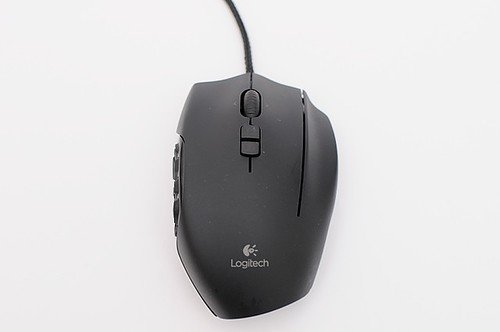
What keeps coming up
Onboard memory is the most concrete praise: one owner configured everything once, and it stayed saved and worked on any PC with no drivers or extra software. Only a couple of owners raised it, so there is no verdict yet.

Keyboards and mice · Logitech
Owners keep it for settings stored on the mouse itself, working on any PC without drivers, and for years of cheap service, though some hit double clicking after years.
Onboard memory is the most concrete praise: one owner configured everything once, and it stayed saved and worked on any PC with no drivers or extra software. Only a couple of owners raised it, so there is no verdict yet.
Button double clicking was raised by two owners, both negative, on units around five years old. One also saw the scroll wheel stop working. That is too few accounts for a verdict.
Pick up to three. You get a page with just those, side by side, on the subjects owners raised.
What keeps people attached is that the mouse remembers its setup. One owner set it up once and never had to think about software again, and another misses it after moving on. One owner wishes they could keep theirs forever, and another still keeps it alongside a Naga Pro. A 2013 unit is reported as still working today, though its owner no longer uses it.
The adjustments are about what comes after. Some owners moved to lighter or more FPS-focused Logitech mice for gaming. One says the MMO mouse market has few options, and another would buy a new MMO mouse at once if it had a ring finger button, because their G600 has started double clicking. These are only a few accounts, so treat this as a sketch of ownership, not a pattern.
Settings held on the mouse are the part owners say keeps working. One G600 bought in 2013 still works, and another owner got about five years from one that cost roughly 40 dollars, and felt it did its job. The faults owners name are double clicking, a scroll wheel that stopped working, and side buttons that became unreliable. One owner had side buttons fail within three months, spent a month troubleshooting, and says Logitech support then went silent for a month.
Long-term evidence is thin. Only a handful of owners gave durability details, and each theme has just two accounts behind it. The accounts differ: some units lasted years, one failed in months. We can't say how common double clicking or the side button fault is. What owners do about failures is also thin: one replaced the mouse, another is waiting for an alternative, and one is writing custom firmware for it.
Parts named in the 3 accounts that describe a failure
Nothing with a clear majority yet. Owners who raised these subjects were split, or too few to judge.
Nothing has a clear majority against it yet. Counted from the owners who raised each subject, not from everyone. A subject is judged once at least 4 owners raise it.
7 more subjects came up from fewer than 4 owners each, which is not enough for a fair reading. To see how it stacks up, compare it with another machine.
The same owner, asked again at each point. Fills in as owners answer.
Two questions: how long you have had it, and anything you would like to say about it. Then we ask again as it ages. This helps our mission.
More in keyboards and mice: Logitech MX Master 3, Logitech MX Master 4, Pulsar X3.
Among the 5 owner accounts here that gave a duration, 3 described a failure. Parts named most: mouse button (double-click), scroll wheel, side buttons.
Before you buy one used, ask the seller: how old it is, whether it was ever repaired and by whom, and whether any of the parts above have been replaced. Ask to see it run. A receipt tells you the warranty start date; most makers honour the term only for the first owner.
Public discussions we read and summarised in our own words. Nothing here was submitted to Still Kicks.
Counted from public accounts by people who said they own it, and summarised by Still Kicks in its own words. Not a manufacturer claim, a lab test or an estimate.
No account needed to look. Sign in with Google only if you want to track something you own.